
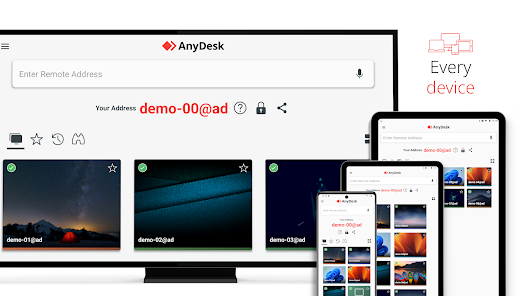
What is AnyDesk?
AnyDesk is a remote control software that enables users to access and control computers remotely. It is designed to provide a secure and reliable way to access and manage remote computers, making it an ideal solution for IT professionals, remote workers, and businesses. With AnyDesk, users can access and control remote computers from anywhere, at any time, as long as they have a stable internet connection.
Main Features of AnyDesk
Some of the key features of AnyDesk include:
- Fast and secure connections
- Low latency and high-performance remote access
- File transfer and synchronization
- Multi-monitor support
- Session recording and playback
Installation Guide
Step 1: Download and Install AnyDesk
To get started with AnyDesk, you need to download and install the software on your computer. You can download the AnyDesk installer from the official website. Once the download is complete, run the installer and follow the prompts to install AnyDesk on your computer.
Step 2: Set up AnyDesk
After installing AnyDesk, you need to set it up on your computer. This involves creating an AnyDesk account, setting up your security settings, and configuring your remote access settings.
Technical Specifications
System Requirements
| Operating System | Windows 10, Windows 8, Windows 7, macOS, Linux |
|---|---|
| Processor | Intel Core i3 or equivalent |
| Memory | 4 GB RAM or more |
| Internet Connection | Stable internet connection with a minimum speed of 1 Mbps |
Pros and Cons
Pros of Using AnyDesk
Some of the advantages of using AnyDesk include:
- Fast and secure connections
- Low latency and high-performance remote access
- Easy to use and set up
- Multi-platform support
- Affordable pricing plans
Cons of Using AnyDesk
Some of the disadvantages of using AnyDesk include:
- Steep learning curve for advanced features
- Some features require a paid subscription
- May not be compatible with all operating systems or devices
FAQ
How do I use AnyDesk to access a remote computer?
To access a remote computer using AnyDesk, you need to install the AnyDesk software on both the local and remote computers. Once installed, you can use the AnyDesk ID and password to connect to the remote computer.
Is AnyDesk secure?
Yes, AnyDesk is a secure remote control software that uses end-to-end encryption and secure authentication protocols to protect your data and ensure secure connections.
Can I use AnyDesk for free?
Yes, AnyDesk offers a free version with limited features. However, for advanced features and commercial use, you need to purchase a paid subscription.