
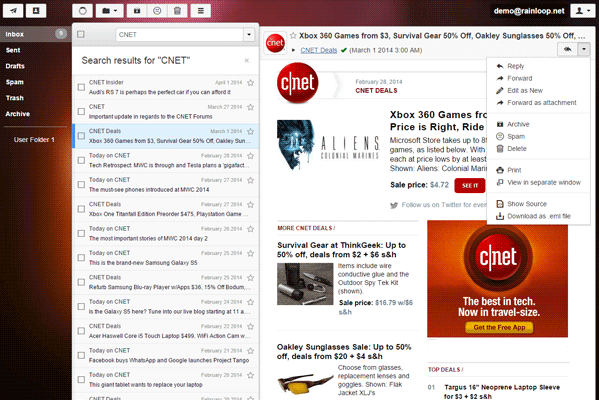
What is Rainloop?
Rainloop is a popular open-source web-based email client that provides a simple and intuitive interface for managing emails, contacts, and calendar events. It is designed to be a fast, secure, and reliable solution for individuals and businesses looking for an alternative to traditional email clients. With Rainloop, users can access their email accounts from anywhere, on any device with a web browser, making it an ideal solution for those who need to stay connected on-the-go.
Main Features
Rainloop offers a range of features that make it an attractive option for email management. Some of the key features include:
- Multi-account support: Rainloop allows users to manage multiple email accounts from a single interface.
- Calendar and contact management: Rainloop includes a built-in calendar and contact manager, making it easy to schedule appointments and manage contacts.
- Task management: Rainloop also includes a task manager, allowing users to create and manage to-do lists.
- Security: Rainloop includes a range of security features, including encryption and two-factor authentication.
Installation Guide
System Requirements
Before installing Rainloop, you will need to ensure that your system meets the minimum requirements. These include:
- PHP 7.2 or later
- MySQL 5.6 or later
- A web server (such as Apache or Nginx)
Step-by-Step Installation
Installing Rainloop is a straightforward process. Here are the steps to follow:
- Download the Rainloop installation package from the official website.
- Extract the package to a directory on your web server.
- Create a new database for Rainloop and grant the necessary permissions.
- Configure the Rainloop settings file to connect to the database.
- Run the installation script to complete the installation.
Rainloop Snapshot and Restore Workflow
Creating Snapshots
Rainloop includes a snapshot feature that allows you to create a backup of your email data at a specific point in time. To create a snapshot, follow these steps:
- Log in to the Rainloop web interface.
- Click on the