
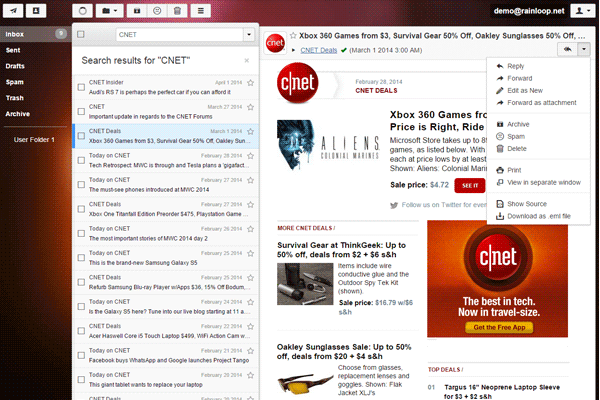
What is Rainloop?
Rainloop is a popular open-source web-based email client that provides a simple and intuitive interface for managing emails. It is designed to be highly customizable and can be easily integrated with various email services, including IMAP and SMTP. With Rainloop, users can access their emails from anywhere, on any device with a web browser, making it an ideal solution for individuals and organizations looking for a cloud-based email solution.
Main Features
Rainloop offers a range of features that make it an attractive option for those looking for a reliable email client. Some of its main features include:
- Multi-language support
- Customizable interface
- Support for IMAP and SMTP protocols
- Integration with popular email services such as Gmail and Outlook
- Encryption support for secure email communication
Installation Guide
Installing Rainloop is a straightforward process that can be completed in a few steps. Here is a step-by-step guide to help you get started:
Step 1: Download Rainloop
The first step is to download the Rainloop installation package from the official website. You can choose from a variety of packages, including the community edition, which is free and open-source.
Step 2: Install Dependencies
Before installing Rainloop, you need to ensure that your server meets the minimum system requirements. This includes installing dependencies such as PHP, MySQL, and Apache.
Step 3: Configure Rainloop
Once the dependencies are installed, you can proceed to configure Rainloop. This involves setting up the database, configuring the email settings, and customizing the interface.
Rainloop Snapshot and Restore Workflow
Rainloop provides a snapshot and restore feature that allows you to backup and restore your email data. This feature is useful in case of data loss or corruption. Here is an overview of the snapshot and restore workflow:
Creating a Snapshot
To create a snapshot, you need to navigate to the Rainloop dashboard and click on the