
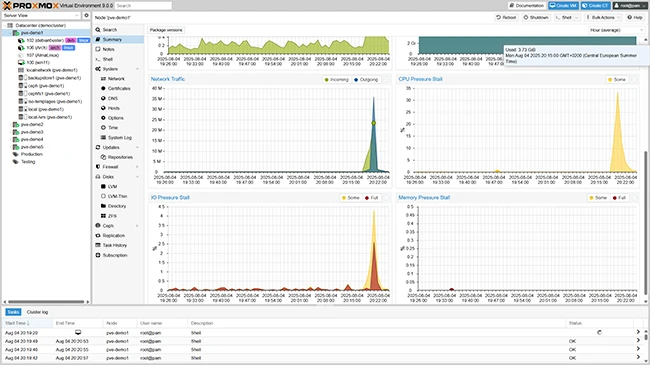
What is Proxmox VE?
Proxmox VE (Virtual Environment) is a powerful open-source platform for virtualization and containerization. It provides a comprehensive solution for managing virtual machines, containers, and storage, making it an ideal choice for businesses and organizations of all sizes. With Proxmox VE, users can easily deploy and manage virtual environments, ensuring efficient use of resources, high availability, and scalability.
Key Features of Proxmox VE
Virtualization and Containerization
Proxmox VE supports both virtualization and containerization, allowing users to run multiple operating systems and applications on a single physical host. This enables efficient use of resources, improved performance, and reduced costs.
High Availability and Clustering
Proxmox VE provides high availability and clustering features, ensuring that virtual machines and containers are always available and accessible. This is achieved through features like live migration, high availability clusters, and distributed storage.
Storage and Backup
Proxmox VE offers a range of storage options, including local storage, shared storage, and distributed storage. It also provides robust backup and restore features, ensuring that data is always protected and easily recoverable.
Security and Encryption
Proxmox VE takes security seriously, providing features like encryption, firewalls, and access control lists. This ensures that virtual machines and containers are secure and protected from unauthorized access.
Installation Guide
System Requirements
Before installing Proxmox VE, ensure that your system meets the minimum requirements. These include a 64-bit CPU, at least 2GB of RAM, and a supported operating system.
Download and Installation
Download the Proxmox VE ISO file from the official website and create a bootable USB drive or CD/DVD. Boot from the installation media and follow the on-screen instructions to complete the installation process.
Initial Configuration
After installation, configure the network settings, set up the storage, and create the first user account. You can also configure the firewall, enable clustering, and set up high availability.
Proxmox VE Snapshot and Restore Workflow
Creating Snapshots
Proxmox VE allows you to create snapshots of virtual machines and containers, enabling you to capture the current state of the system. This is useful for testing, debugging, and rolling back to a previous state.
Restoring Snapshots
Restoring a snapshot is a straightforward process. Simply select the snapshot you want to restore, and Proxmox VE will revert the system to that state.
Best Practices
It’s essential to follow best practices when working with snapshots. These include creating regular snapshots, testing snapshots, and storing snapshots securely.
Proxmox VE vs Alternatives
Comparison with Other Virtualization Platforms
Proxmox VE is often compared to other virtualization platforms like VMware, Hyper-V, and KVM. While each platform has its strengths and weaknesses, Proxmox VE offers a unique combination of features, flexibility, and cost-effectiveness.
Advantages of Proxmox VE
Proxmox VE offers several advantages over its competitors, including ease of use, high performance, and robust security features.
Conclusion
Proxmox VE is a powerful and feature-rich platform for virtualization and containerization. With its robust features, high performance, and ease of use, it’s an ideal choice for businesses and organizations of all sizes. By following the installation guide, using snapshots and restores effectively, and understanding the advantages of Proxmox VE, you can get the most out of this powerful platform.