
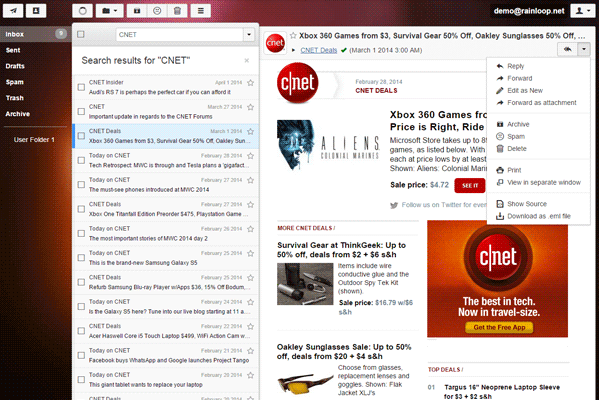
What is Rainloop?
Rainloop is a popular, open-source web-based email client that provides a user-friendly interface for managing emails, contacts, and calendar events. It is designed to work with various email services, including IMAP and SMTP protocols. Rainloop is highly customizable and can be integrated with various third-party plugins and extensions.
Main Features
Rainloop offers a range of features that make it an attractive option for individuals and organizations looking for a reliable email client. Some of its key features include:
- Multi-account support: Rainloop allows users to manage multiple email accounts from a single interface.
- IMAP and SMTP support: Rainloop supports both IMAP and SMTP protocols, making it compatible with a wide range of email services.
- Calendar and contact management: Rainloop includes built-in calendar and contact management features, making it easy to schedule appointments and manage contacts.
- Customizable interface: Rainloop’s interface is highly customizable, allowing users to personalize the look and feel of the application.
Installation Guide
System Requirements
Before installing Rainloop, make sure your system meets the following requirements:
- PHP 7.2 or later
- MySQL 5.7 or later
- Apache 2.4 or later
Step-by-Step Installation
Follow these steps to install Rainloop:
- Download the latest version of Rainloop from the official website.
- Extract the downloaded archive to a directory on your web server.
- Create a new database and user for Rainloop using your database management tool.
- Update the Rainloop configuration file to reflect your database settings.
- Access the Rainloop installation script by navigating to the installation directory in your web browser.
Rainloop Snapshot and Restore Workflow
Creating Snapshots
Rainloop allows you to create snapshots of your email data, which can be used to restore your data in case of a failure or data loss. To create a snapshot, follow these steps:
- Log in to your Rainloop account.
- Click on the