
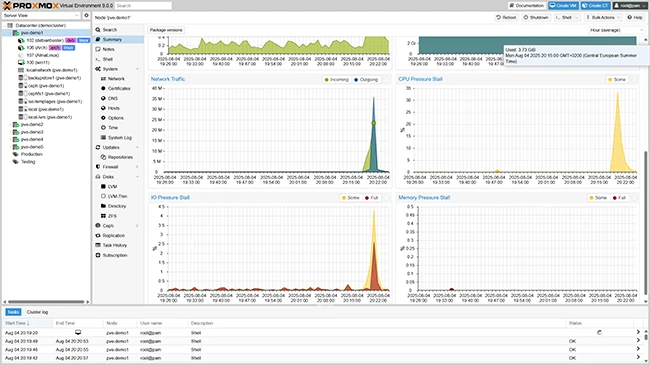
What is Proxmox VE?
Proxmox VE is a powerful, open-source platform for virtualization and containerization. It provides a comprehensive solution for managing virtual machines, containers, and storage resources in a unified web-based interface. With Proxmox VE, administrators can efficiently deploy, manage, and monitor their virtual infrastructure, ensuring high availability, scalability, and security.
Main Features of Proxmox VE
Some of the key features of Proxmox VE include:
- Virtualization: Proxmox VE supports KVM and LXC, allowing for the creation of virtual machines and containers.
- High Availability: Proxmox VE provides a robust high-availability feature set, ensuring that virtual machines and containers remain available even in the event of hardware failure.
- Storage: Proxmox VE supports a variety of storage options, including local storage, NAS, and SAN.
- Backup and Restore: Proxmox VE provides a built-in backup and restore feature, allowing administrators to easily create and manage snapshots of their virtual machines and containers.
Installation Guide
System Requirements
Before installing Proxmox VE, ensure that your system meets the minimum requirements:
- 64-bit CPU
- 4 GB RAM (8 GB recommended)
- 1 GB free disk space
- Debian-based Linux distribution (64-bit)
Installation Steps
To install Proxmox VE, follow these steps:
- Download the Proxmox VE ISO file from the official website.
- Create a bootable USB drive using the ISO file.
- Boot the system from the USB drive and select the installation option.
- Follow the installation wizard to complete the installation process.
Technical Specifications
Supported Virtualization Technologies
Proxmox VE supports the following virtualization technologies:
- KVM (Kernel-based Virtual Machine)
- LXC (Linux Containers)
Supported Container Runtimes
Proxmox VE supports the following container runtimes:
- Docker
- Podman
Pros and Cons
Advantages of Proxmox VE
Some of the advantages of using Proxmox VE include:
- Highly scalable and flexible architecture
- Robust high-availability feature set
- Support for multiple virtualization technologies and container runtimes
- Web-based interface for easy management
Disadvantages of Proxmox VE
Some of the disadvantages of using Proxmox VE include:
- Steep learning curve for new users
- Requires significant system resources
- May require additional configuration for advanced features
FAQ
What is the difference between Proxmox VE and other virtualization platforms?
Proxmox VE is an open-source platform that provides a comprehensive solution for virtualization and containerization. It is highly scalable and flexible, making it an ideal choice for large-scale deployments.
How do I create a backup of my virtual machines and containers in Proxmox VE?
Proxmox VE provides a built-in backup and restore feature that allows administrators to easily create and manage snapshots of their virtual machines and containers.
Can I use Proxmox VE with other virtualization technologies?
Yes, Proxmox VE supports multiple virtualization technologies, including KVM and LXC, as well as container runtimes such as Docker and Podman.