
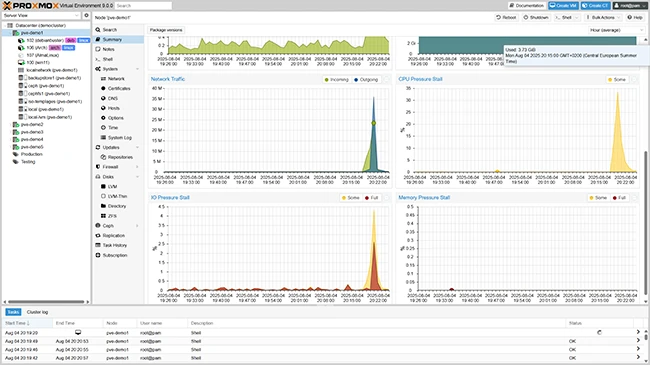
What is Proxmox VE?
Proxmox VE is a comprehensive open-source platform for virtualization and containerization, allowing users to manage virtual machines, containers, and storage resources from a single interface. It provides a robust and scalable solution for deploying and managing virtual infrastructure, making it an attractive option for businesses and organizations of all sizes.
Main Features
Proxmox VE offers a range of features that make it an ideal choice for virtualization and containerization, including support for KVM and LXC, live migration, high availability, and a built-in firewall.
Installation Guide
System Requirements
Before installing Proxmox VE, ensure that your system meets the minimum requirements, which include a 64-bit CPU, at least 2GB of RAM, and a bootable USB drive or CD/DVD.
Download and Installation
Download the Proxmox VE ISO file from the official website and create a bootable USB drive or CD/DVD. Boot from the installation media and follow the on-screen instructions to complete the installation process.
Initial Configuration
After installation, configure the network settings, set the timezone, and create a user account. You can also configure the storage and create a virtual machine or container.
Technical Specifications
Hardware Requirements
| Component | Minimum Requirement |
|---|---|
| CPU | 64-bit, 2 cores |
| RAM | 2GB |
| Storage | 16GB |
Software Requirements
Proxmox VE supports a range of operating systems, including Debian, Ubuntu, and CentOS. It also supports various storage formats, including ext3, ext4, and XFS.
Proxmox VE Snapshot and Restore Workflow
Creating Snapshots
Create snapshots of your virtual machines and containers to capture their current state. You can create snapshots manually or schedule them to run automatically.
Restoring Snapshots
Restore snapshots to revert your virtual machines and containers to a previous state. You can restore snapshots manually or automatically in the event of a failure.
Pros and Cons
Advantages
- Comprehensive platform for virtualization and containerization
- Supports KVM and LXC
- Live migration and high availability
- Built-in firewall
Disadvantages
- Steep learning curve
- Resource-intensive
- Limited support for certain operating systems
FAQ
What is the difference between Proxmox VE and other virtualization platforms?
Proxmox VE is an open-source platform that offers a comprehensive solution for virtualization and containerization, making it an attractive option for businesses and organizations of all sizes.
How do I create a virtual machine in Proxmox VE?
Create a virtual machine in Proxmox VE by navigating to the Virtual Machines tab, clicking on Create VM, and following the on-screen instructions.
Can I use Proxmox VE for containerization?
Yes, Proxmox VE supports containerization using LXC. You can create and manage containers from the Containers tab.