
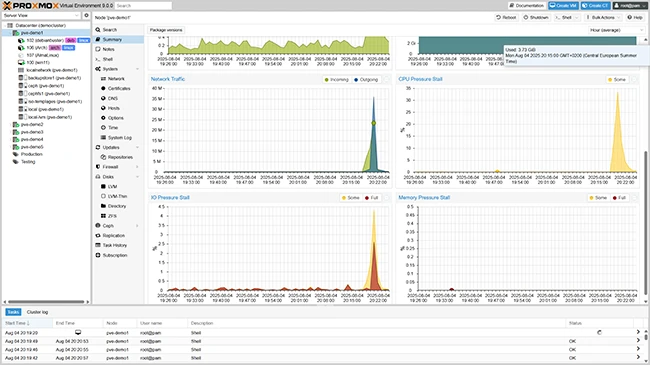
What is Proxmox VE?
Proxmox VE is an open-source platform for virtualization and containerization, providing a comprehensive solution for managing virtual machines, containers, and storage. It is based on Debian Linux and uses the KVM hypervisor for virtualization, as well as LXC for containerization. Proxmox VE offers a user-friendly web-based interface for easy management and configuration of virtual environments.
Main Features of Proxmox VE
Some of the key features of Proxmox VE include:
- Virtualization: Proxmox VE supports KVM, a widely-used and well-established hypervisor, allowing users to create and manage virtual machines with ease.
- Containerization: With LXC, users can create and manage containers, which provide a lightweight and efficient way to deploy applications.
- Storage: Proxmox VE offers a range of storage options, including local storage, shared storage, and cloud storage, making it easy to manage and scale storage resources.
- Networking: The platform provides a robust networking system, allowing users to configure and manage networks with ease.
- Security: Proxmox VE includes a range of security features, including firewall configuration, access control, and encryption, to ensure the security and integrity of virtual environments.
Installation Guide
System Requirements
Before installing Proxmox VE, ensure that your system meets the minimum requirements:
- 64-bit CPU with virtualization support (Intel VT-x or AMD-V)
- At least 4 GB of RAM (8 GB or more recommended)
- At least 1 GB of free disk space (more recommended for storage)
- Debian-based Linux distribution (Proxmox VE is based on Debian)
Download and Installation
Download the Proxmox VE ISO file from the official website and create a bootable USB drive or CD/DVD. Boot from the installation media and follow the installation wizard to complete the installation process.
Proxmox VE Snapshot and Restore Workflow
Creating Snapshots
Proxmox VE allows you to create snapshots of your virtual machines and containers, making it easy to roll back to a previous state in case of issues or errors.
To create a snapshot, follow these steps:
- Log in to the Proxmox VE web interface and navigate to the virtual machine or container you want to snapshot.
- Click on the